Explainer
What file format Brother embroidery machines use
Published
Short answer
Brother home embroidery machines use the PES format, and many models also read DST and Brother's PHC or PHX files. Janome uses JEF, Husqvarna Viking and Pfaff use VP3, Bernina uses EXP, and most commercial multi-needle machines use DST. Buy or export designs as PES for a Brother, and check your manual for the full list your model accepts.
Machines for this job
All 8 picks compared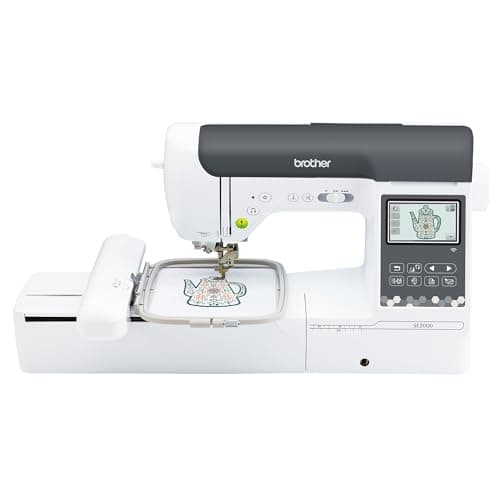
Brother SE2000 sew and embroider, 5 x 7 inch field
See price on AmazonSee it on Amazon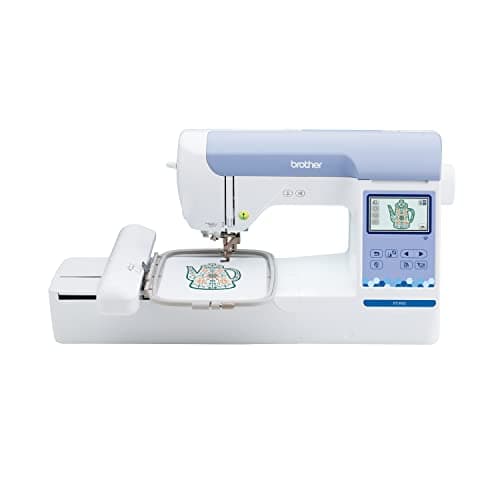
Brother PE900 embroidery-only, 5 x 7 inch field
See price on AmazonSee it on Amazon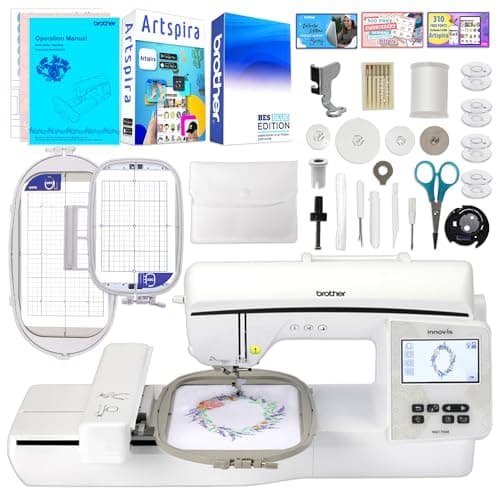
Brother Innov-is NQ1700E, 6 x 10 inch field
See price on AmazonSee it on Amazon
This page is for anyone who bought an embroidery design, downloaded a free file, or got a design from a digitizer and is not sure it will stitch on their machine. It explains what an embroidery file actually contains, which formats Brother machines read, which formats other brands use, and how to move designs to the machine by USB or wireless transfer. It also covers how to convert between formats safely, why some converted designs stitch badly, and how to check that a design fits your hoop before you load it.
What an embroidery file is
An embroidery machine does not read pictures. It reads a list of needle positions: move here, stitch, move there, change color, trim. That list is called a stitch file, and each machine brand saves it in its own format with its own file extension.
A JPG, PNG, SVG or PDF is not an embroidery file. To stitch artwork, someone has to digitize it in embroidery software, which means deciding stitch types, direction, density and order. That is why a picture cannot simply be renamed to .pes and loaded.
Design software also has its own working files, sometimes called native or object files. These keep the shapes and settings so the design can be resized and edited cleanly. You export a stitch file such as PES from that working file when you are ready to sew.
Formats by machine brand
This table lists the format each brand is usually associated with. Many machines read more than one, and the exact list varies by model and software version, so confirm it in the machine's manual.
PES
- Brand most associated
- Brother, Baby Lock
- Notes
- Main format for Brother home machines; stores colors and stitch data
PHC, PHX
- Brand most associated
- Brother
- Notes
- Brother formats used for some built-in and downloaded designs on newer models
DST
- Brand most associated
- Tajima and most commercial multi-needle machines
- Notes
- Widely supported; stores stitches but not thread colors
DSB
- Brand most associated
- Commercial multi-needle machines
- Notes
- Listed by several multi-needle machines as a supported format
JEF
- Brand most associated
- Janome
- Notes
- Main Janome home embroidery format
VP3
- Brand most associated
- Husqvarna Viking, Pfaff
- Notes
- Main format for current Viking and Pfaff machines
EXP
- Brand most associated
- Bernina
- Notes
- Bernina stitch format, often paired with a color file
XXX
- Brand most associated
- Singer (some models)
- Notes
- Used by some Singer computerized embroidery machines
| Format | Brand most associated | Notes |
|---|---|---|
| PES | Brother, Baby Lock | Main format for Brother home machines; stores colors and stitch data |
| PHC, PHX | Brother | Brother formats used for some built-in and downloaded designs on newer models |
| DST | Tajima and most commercial multi-needle machines | Widely supported; stores stitches but not thread colors |
| DSB | Commercial multi-needle machines | Listed by several multi-needle machines as a supported format |
| JEF | Janome | Main Janome home embroidery format |
| VP3 | Husqvarna Viking, Pfaff | Main format for current Viking and Pfaff machines |
| EXP | Bernina | Bernina stitch format, often paired with a color file |
| XXX | Singer (some models) | Used by some Singer computerized embroidery machines |
Which formats Brother machines read
Brother home embroidery machines such as the PE545, SE700, PE900, SE2000 and NQ1700E are built around PES. When you buy a design for a Brother, choose the PES download. Brother's listings for its Artspira app mention importing PES, PHC, PHX and DST designs, and many Brother machines also accept DST from a USB stick.
If a design only comes as DST, it will often load, but it will not carry the original thread colors. The machine will show generic colors, and you pick threads from the design's color chart instead. Stitch quality is not affected, since the stitches are the same.
Brother machines also limit design size to the hoop the machine supports. A 6 x 10 inch design will not open on a machine with a 5 x 7 inch maximum field. Use the embroidery hoop size guide to check a design's dimensions against your hoop before you buy it.
Getting designs onto a Brother machine
If the machine shows the design but says it is too large, the design is bigger than your hoop's field. If it does not show at all, the file is likely in an unsupported format, inside an unzipped folder the machine cannot browse, or the stick has too many files on it. Step-by-step machine setup is covered in how to use a Brother embroidery machine, and design screen errors are covered in Brother embroidery machine problems.
- 1
Download the design and unzip it on a computer. Designs are often sold as a zip file with several formats inside.
- 2
Find the file ending in .pes. Ignore folders for other brands.
- 3
Copy it to a USB stick. Many machines work most reliably with a small stick formatted FAT32, and some limit how many files or folders they can read.
- 4
Insert the stick in the machine's USB port, open the USB or memory screen, and select the design.
- 5
On wireless models, you can instead send the design with Brother's Design Database Transfer software or the Artspira app, where your model supports it.
Converting between formats safely
Converting a stitch file from one format to another, for example JEF to PES, usually works for the stitch data because both describe needle positions. Colors may be lost or changed, and some formats handle trims and jumps differently, so always look at the converted design on screen and stitch a test.
Resizing is the bigger risk. When you enlarge or shrink a stitch file without recalculating, the number of stitches stays the same. Shrinking makes stitches pile up, which leads to thread breaks, needle breaks and stiff patches. Enlarging spreads them out, which leaves gaps. Small changes of about 10 to 20 percent are usually tolerated. For bigger changes, resize in software that recalculates stitch density or ask for a file digitized at the size you need.
Tools that can export PES include Brother's own PE-Design software, commercial programs like Embrilliance, and the free Ink/Stitch extension for Inkscape. Any design that stitches poorly after conversion is worth checking for density problems; see embroidery thread shredding and breaking and embroidery machine bird nesting.
Note.Only convert or edit designs you have the right to use. Commercial design licenses often limit how a design can be resold or shared, even after conversion.
Choosing a machine with format in mind
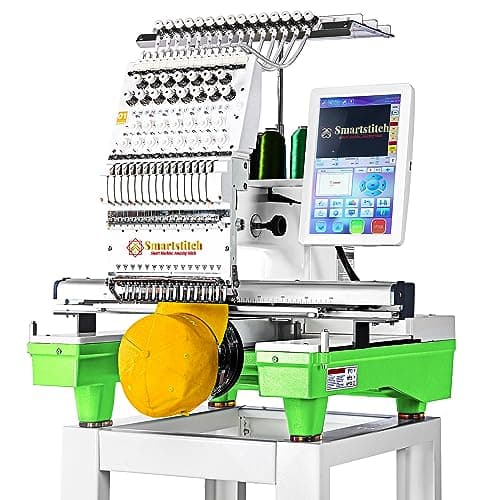
Format support is rarely a reason to pick one home brand over another, because most design shops sell every common format. It matters more if you plan to move to a multi-needle machine later. Many multi-needle listings, including Smartstitch, Ricoma and Poolin models, say they read DST and DSB files, so software that exports DST keeps your library usable as you grow.
For machines that read PES, see the best Brother embroidery machines and the best embroidery machines for beginners. For business use, see the best embroidery machines for small business.
Frequently asked questions
What file do I need for a Brother embroidery machine? Use a PES file. Many Brother models also read DST, but DST files do not include thread colors.
What embroidery machines use PES files? Brother and Baby Lock home embroidery machines use PES as their main format. Some other brands can read it too, so check your manual.
Can I turn a JPG into a PES file? Not by renaming or a simple file converter. The image has to be digitized in embroidery software, which creates the stitches, then exported as PES.
Why does my Brother machine not see the file on my USB stick? Common reasons are a zipped folder, an unsupported format, a design larger than your hoop, too many files on the stick, or a stick formatted in a way the machine does not read.
What you need for this
- See price on AmazonAmazon
Brother SE2000, 5 x 7 in field with Wi-Fi
From Best Brother embroidery machines: PE, SE, Innov-is and PR compared
- See price on AmazonAmazon
Brother PE900: 5x7 field, wireless, 193 designs
 See price on AmazonAmazon
Smartstitch S-1501: 15 needles, 14x20 inch area
From Best multi-needle embroidery machines for a small business