Fix
Brother embroidery machine problems and how to fix them
Published
Short answer
Most Brother embroidery machine problems come from threading, the needle, the bobbin or stabilizer, not a fault in the machine. Rethread the top with the presser foot up, put in a new 75/11 embroidery needle, use embroidery bobbin thread inserted correctly, and hoop with the right stabilizer. For on-screen messages, read the exact wording and follow the manual's error list for your model.
Machines for this job
All 8 picks compared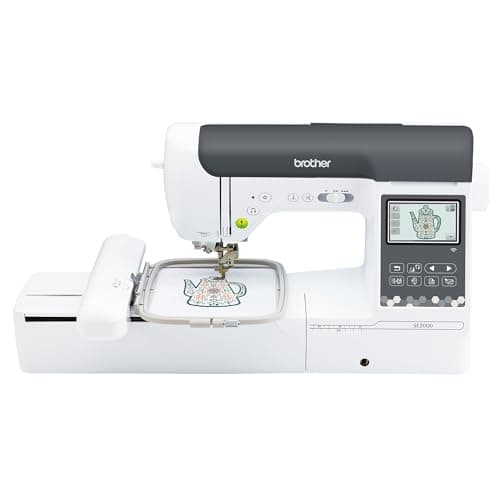
Brother SE2000 sew and embroider, 5 x 7 inch field
See price on AmazonSee it on Amazon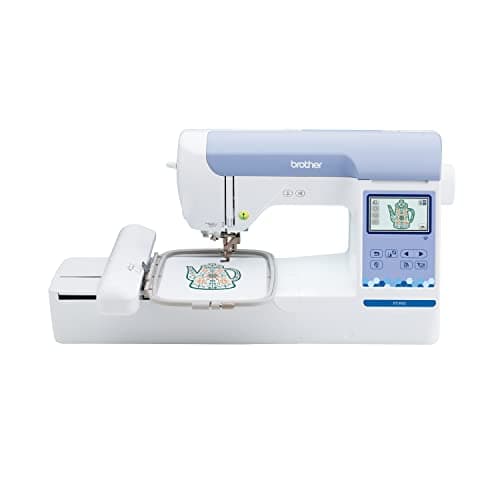
Brother PE900 embroidery-only, 5 x 7 inch field
See price on AmazonSee it on Amazon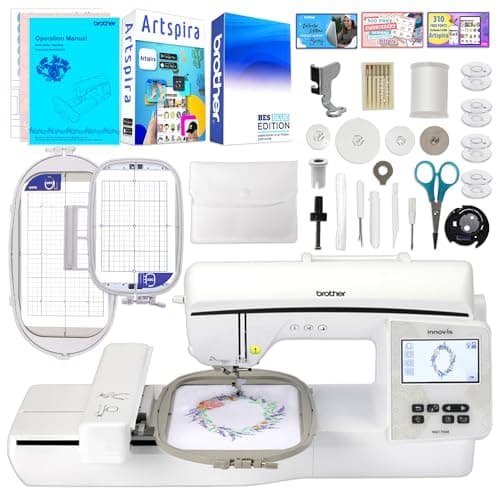
Brother Innov-is NQ1700E, 6 x 10 inch field
See price on AmazonSee it on Amazon
Brother's PE and SE embroidery and combo machines, such as the PE800, PE900, SE700, SE1900 and SE2000, are among the most popular home embroidery machines in the US. Like any embroidery machine, they can break thread, nest under the hoop, show bobbin thread on top or stop with a message on the screen. This guide groups the common problems by symptom and gives the fix in the order to try it. Error wording and steps vary by model and software version, so use your manual's error and troubleshooting pages alongside this guide.
Problems by symptom
Top thread breaks or shreds
- Most likely causes
- Old needle, threading, thread quality
- First fixes
- New embroidery needle, rethread with foot up, check spool cap
Bird nest under the hoop
- Most likely causes
- Top thread missed tension discs
- First fixes
- Rethread with the presser foot up
Bobbin thread shows on top
- Most likely causes
- Top tension too tight or bobbin issue
- First fixes
- Rethread, check bobbin type and insertion, then tension
Puckering around the design
- Most likely causes
- Stabilizer or hooping
- First fixes
- Firmer stabilizer, hoop fabric taut but not stretched
Outlines do not line up
- Most likely causes
- Fabric shifting in the hoop
- First fixes
- Better stabilizer, tighter hooping, smaller hoop
Needle breaks
- Most likely causes
- Bent needle, hoop not attached, thick seams
- First fixes
- New needle, reattach hoop, avoid thick seams under the design
Machine will not start embroidering
- Most likely causes
- Presser foot up, hoop not attached, message on screen
- First fixes
- Read the message, lower the foot, reseat the hoop
Design too large message
- Most likely causes
- Design bigger than the hoop or field
- First fixes
- Choose a larger hoop if supported, or resize the design
| Symptom | Most likely causes | First fixes |
|---|---|---|
| Top thread breaks or shreds | Old needle, threading, thread quality | New embroidery needle, rethread with foot up, check spool cap |
| Bird nest under the hoop | Top thread missed tension discs | Rethread with the presser foot up |
| Bobbin thread shows on top | Top tension too tight or bobbin issue | Rethread, check bobbin type and insertion, then tension |
| Puckering around the design | Stabilizer or hooping | Firmer stabilizer, hoop fabric taut but not stretched |
| Outlines do not line up | Fabric shifting in the hoop | Better stabilizer, tighter hooping, smaller hoop |
| Needle breaks | Bent needle, hoop not attached, thick seams | New needle, reattach hoop, avoid thick seams under the design |
| Machine will not start embroidering | Presser foot up, hoop not attached, message on screen | Read the message, lower the foot, reseat the hoop |
| Design too large message | Design bigger than the hoop or field | Choose a larger hoop if supported, or resize the design |
Thread breaking, shredding and nesting
Thread problems are the most common complaint, and they are usually fixed by rethreading and a new needle. Always thread the top with the presser foot raised so the thread seats in the tension discs. Use the correct spool cap for the spool size, and make sure the thread is not catching on the spool's notch.
Use a 75/11 embroidery needle for most work and replace it often; embroidery wears needles fast. Use 40 weight embroidery thread and the bobbin thread recommended for your machine. A bird nest under the fabric almost always means the top thread is not under tension. Our guides to embroidery machine bird nesting and embroidery thread shredding and breaking go deeper.
Note.If the needle strikes the hoop or presser foot, turn the machine off, check the hoop is attached and the design fits, and replace the needle before continuing.
Tension problems on Brother embroidery machines
The usual sign of a tension problem is bobbin thread showing on top of the design, or loops of top thread on top. Before changing any tension setting, rethread the top and check the bobbin: correct bobbin thread, wound evenly, inserted the right direction and pulled through the tension spring.
Many Brother embroidery models let you adjust embroidery thread tension in a settings screen. Small changes are best, and test on scrap fabric with the same stabilizer. The bobbin case tension is set at the factory, and some Brother models use a separate bobbin case for embroidery; avoid turning the bobbin case screw unless your manual describes it. Our embroidery machine tension settings guide explains the I-test for checking balance.
Error messages and on-screen warnings
Brother embroidery machines show messages on the LCD when something needs attention. The exact wording differs between models and software versions, so look up the message in your manual. Common types of messages include:
- Presser foot messages: lower or raise the presser foot before starting or moving.
- Upper thread messages: the machine detected the top thread broke or ran out.
- Bobbin messages: the bobbin thread is low or ran out, on models with a bobbin sensor.
- Embroidery unit or carriage messages: the arm needs to move to its start position; keep the area clear.
- Hoop or frame messages: the hoop is not attached, or the design is larger than the selected hoop.
- Safety device messages: the machine stopped because something blocked the needle or motor.
Hoop and design size problems
If the machine refuses a design or reports it is too large, compare the design's size in millimeters with your hoop's stitch field. A 5x7 machine cannot stitch a 6x10 design without splitting or resizing it. Our embroidery machine hoop size chart lists standard fields, and the hoop size guide checks a design against them.
If the machine does not read a design from USB, check that the file format is one your machine supports, usually PES on Brother machines, and that the file is not in too many nested folders. See Brother embroidery machine file formats. If problems seem software-related, check whether your machine has a firmware update; see how to update a Brother embroidery machine.
When to call for service
Most problems are fixed by threading, needles, bobbins and stabilizer. Call Brother support or an authorized service center if the machine makes grinding or knocking sounds, if the embroidery arm does not move smoothly, if the needle repeatedly strikes the plate with a new needle and correct hoop, or if the machine shows an error that persists after following the manual.
Regular cleaning of the bobbin area prevents many issues. If you are considering an upgrade for larger designs or more speed, our best Brother embroidery machines and best embroidery machines for beginners guides compare current models.
Frequently asked questions
Why does my Brother embroidery machine keep breaking thread? The most common causes are an old needle, threading with the presser foot down, the wrong spool cap, or poor quality thread. Replace the needle and rethread first.
Why is the bobbin thread showing on top? The top tension may be too tight relative to the bobbin, or the bobbin may be inserted wrong or use the wrong thread. Rethread and check the bobbin before adjusting tension.
Why will my Brother embroidery machine not start? Check the screen for a message. Common reasons are the presser foot being up, the hoop not attached, or the design being too large for the hoop.
Should I adjust the bobbin case tension? Generally no. It is set at the factory. Adjust top tension in small steps first and contact service if the bobbin case seems wrong.
What you need for this
- See price on AmazonAmazon
Brother SE2000, 5 x 7 in field with Wi-Fi
From Best Brother embroidery machines: PE, SE, Innov-is and PR compared
- See price on AmazonAmazon
Brother PE900: 5x7 field, wireless, 193 designs